
How We Made Our Explainer Video in Code
SEOPage's 75-second explainer, made in one working session: research before a single frame, the real product as the demo in Remotion, AI voice and sound leveled by measurement, three cuts from one timeline, and the five things that broke.

We needed one video that explains SEOPage to the people it's for: plumbers, roofers, HVAC owners. Seventy-five seconds, with sound that means something in every second of it. We made it in one working session, and we built it in code: the scenes, the camera, the cursor, the captions, and three different cuts from one timeline.
Here's the finished video. Below it is how it was made, and the five things that went wrong on the way.
Research before a single frame
Before writing a line of script, we looked at what the numbers say about short video in a feed:
- Videos under a minute keep about half their viewers.
- The first three seconds carry up to 47% of an ad's value (Meta and Nielsen).
- 75% of Meta Reels views now have the sound on. The old "85% watch muted" figure is from 2016.
- People are 80% more likely to finish a video with captions.
That set the brief: short, a hook in the first seconds, a real soundtrack, and captions everywhere. Then we wrote three proposals instead of one. A was a story, "Nora's evening". B was product motion with music and no voice. C was a founder-led screen recording. We picked A, because a story explains both why and how to someone who isn't technical, and the other two only manage one of those.
The script is the homepage
The video follows the SEOPage homepage beat for beat, so the video and the page tell the same story:
| Time | What happens |
|---|---|
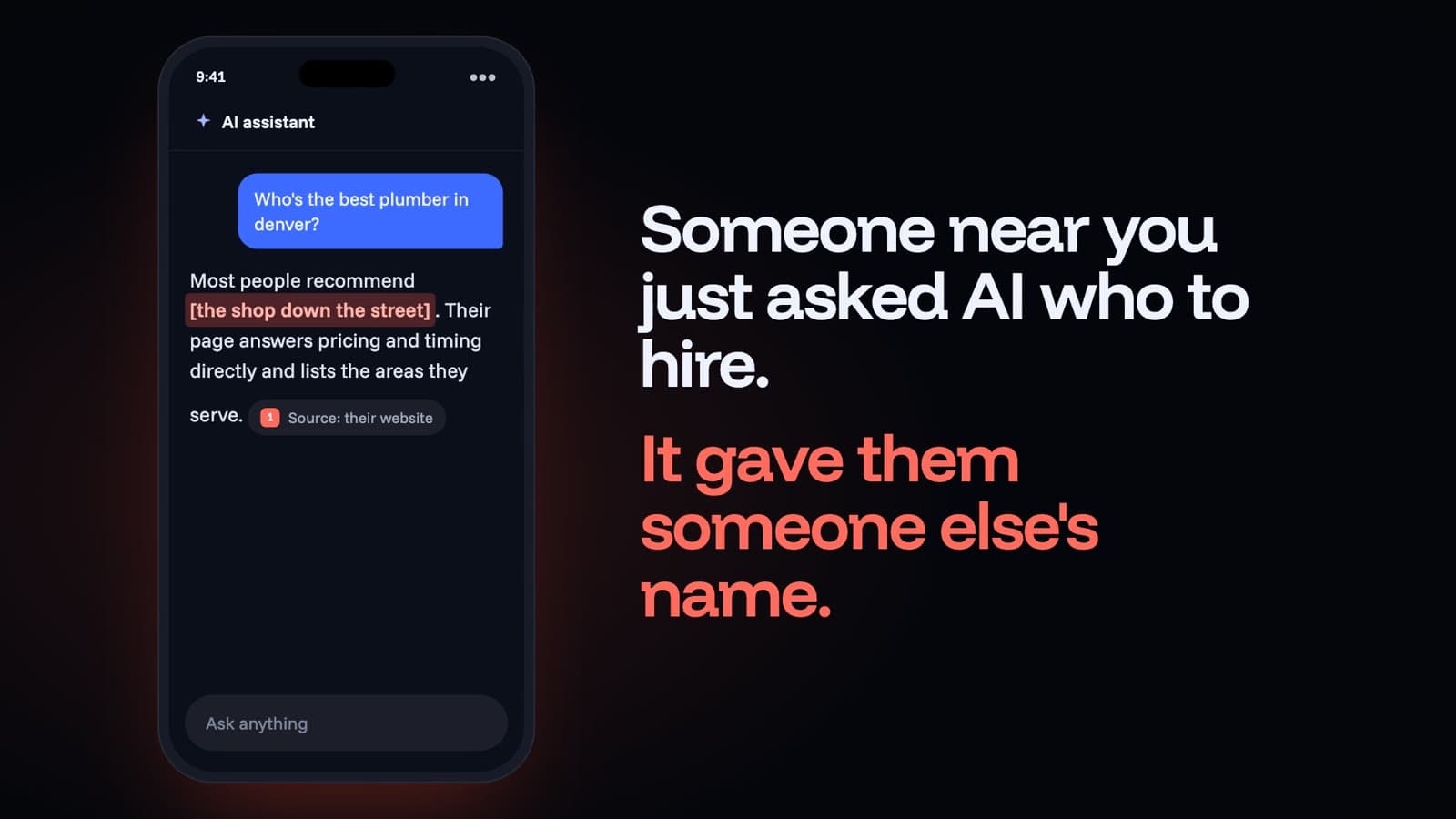
| 0:00 | An AI assistant names a competitor. |
| 0:05 | Nora, the plumber, reacts. |
| 0:11 | The stakes: 45% of US consumers now use AI to find a local business (BrightLocal, 2026). |
| 0:21 | The four steps of the builder. |
| 0:50 | Proof, from our own sites. |
| 0:58 | The goal: a phone call that starts with "I found you on ChatGPT". |
| 1:04 | The offer, and the end card. |
It stays honest on screen. Nora is labeled as an illustration, the competitor and the AI assistant are generic, and the proof is labeled as our own sites, not client results.
The product is the demo
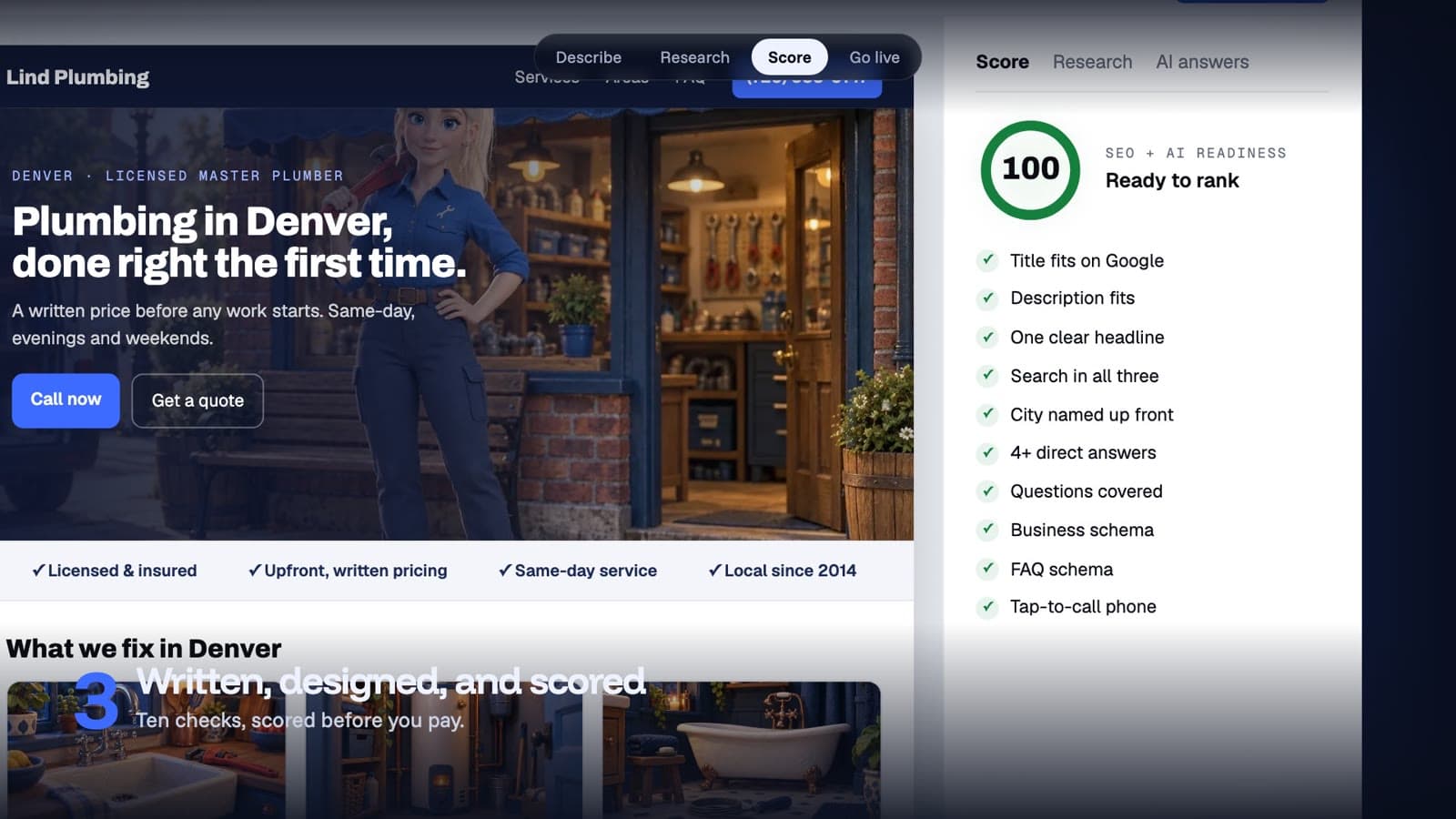
The video is built in Remotion, a framework that renders video from React components. That matters for a product explainer, because the screens in the video are the real interface, not a mockup of it. A virtual camera pushes into whichever part of the builder the narration is talking about, and an animated cursor clicks the actual fields.
Code also means you can be wrong in measurable ways. In the first render, the pointer missed the fields it was meant to click by about 50 pixels. It looked fine in the preview, and you only see it on a still frame.
Sound in every second
Everything you hear was generated: the voice from the script, and the effects and score from written descriptions.
- 13 voice lines, 156 words, from ElevenLabs.
- 33 sound effects, placed on 86 timed cues.
- A 75-second score, described by its arc: tense, then hopeful, a drive through the demo, then a resolve.
The files came back at wildly different volumes: from -3 to -45 LUFS (a measure of how loud audio sounds to a listener), a 42 dB spread. Mixing them as they arrived would have buried the voice in places and blasted the effects in others. So we measured every file and leveled each one to the voice before mixing anything. In the final mix, the score sits about 18 dB under the voice whenever someone is speaking. The finished file is -14 LUFS, and its loudest instant peaks at -1 dBTP, just under the point where audio distorts.
One timeline, three cuts
The same 75 seconds ship three ways:
| Where | Shape | Captions |
|---|---|---|
| YouTube | Wide, 16:9 | A separate file, so viewers can turn them on or off. |
| LinkedIn and X | Wide, 16:9 | Burned in, because those feeds autoplay muted. |
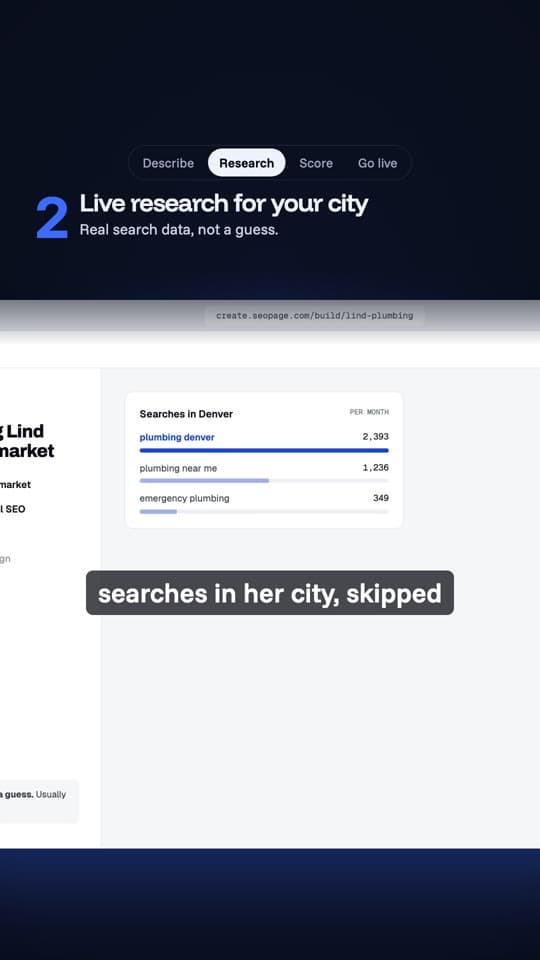
| Reels, TikTok and Shorts | Tall, 9:16 | Burned in, and kept out of the zones the apps cover with their own buttons: the bottom 35% and the top 14%, per Meta. |
The first vertical render put captions right over the text already on screen. The fix was to place captions only where nothing else is written.
Pick the thumbnail at phone size
We made three thumbnails and judged them at 170 pixels wide, which is how big they appear in a phone feed:
- A: Nora shocked, "AI picked THEM".
- B: Nora on the phone, "Get named by ChatGPT".
- C: a before-and-after split.
A won. It reads instantly at phone size, and it matches the first five seconds of the video. That matters because YouTube judges a thumbnail by the watch time it leads to, not just the clicks. The thumbnail shows the problem and the title answers it: "Why ChatGPT Recommends Your Competitor (and How to Fix It)".

What broke, and how we caught it
Five things went wrong, and most of them hid in the preview:
- The pointer missed by about 50 pixels. Caught on still frames.
- A one-second black gap between the demo and the proof. Caught in the finished file, not the preview.
- Audio 42 dB apart. Caught by measuring, not listening.
- Vertical captions over on-screen text. Caught on a contact sheet of frames.
- An API key mix-up: a key ID where the actual key belonged.
The lesson carries well beyond video. Check the output the way people will actually see it: the finished file, at phone size, in the feed, with the sound on. The preview is where these mistakes hide.
What we don't know yet
The video went out while this was being written, so the results aren't in. We're watching the thumbnail's click-through rate, how many viewers are still there at three seconds and at the end, which thumbnail wins, and how many people start building a page after watching.
The full case study, with the complete transcript, is on SEOPage: How we made our explainer video.